

LOOPBAR is a multitrack looper for guitar, on iPhone and iPad. Record a riff, let it loop, stack the next part on top – and jam over your own band. No pedalboard, no cables.
Contact
Questions, bugs, ideas? Write to loopbar@helgeohl.de. Please include your device, your iOS/iPadOS version, your LOOPBAR version and, for bugs, a short description of the steps – a screenshot helps.
Requirements
- iPhone or iPad with iOS/iPadOS 18.5 or later
- A guitar or any other instrument – LOOPBAR records through your device’s microphone
FAQ
How do I record my first loop?
Tap record and play your riff. With the metronome on, you get a one-bar count-in and the recording starts on the one. Tap again to stop – the loop starts playing right away.
How do I set the loop exactly?
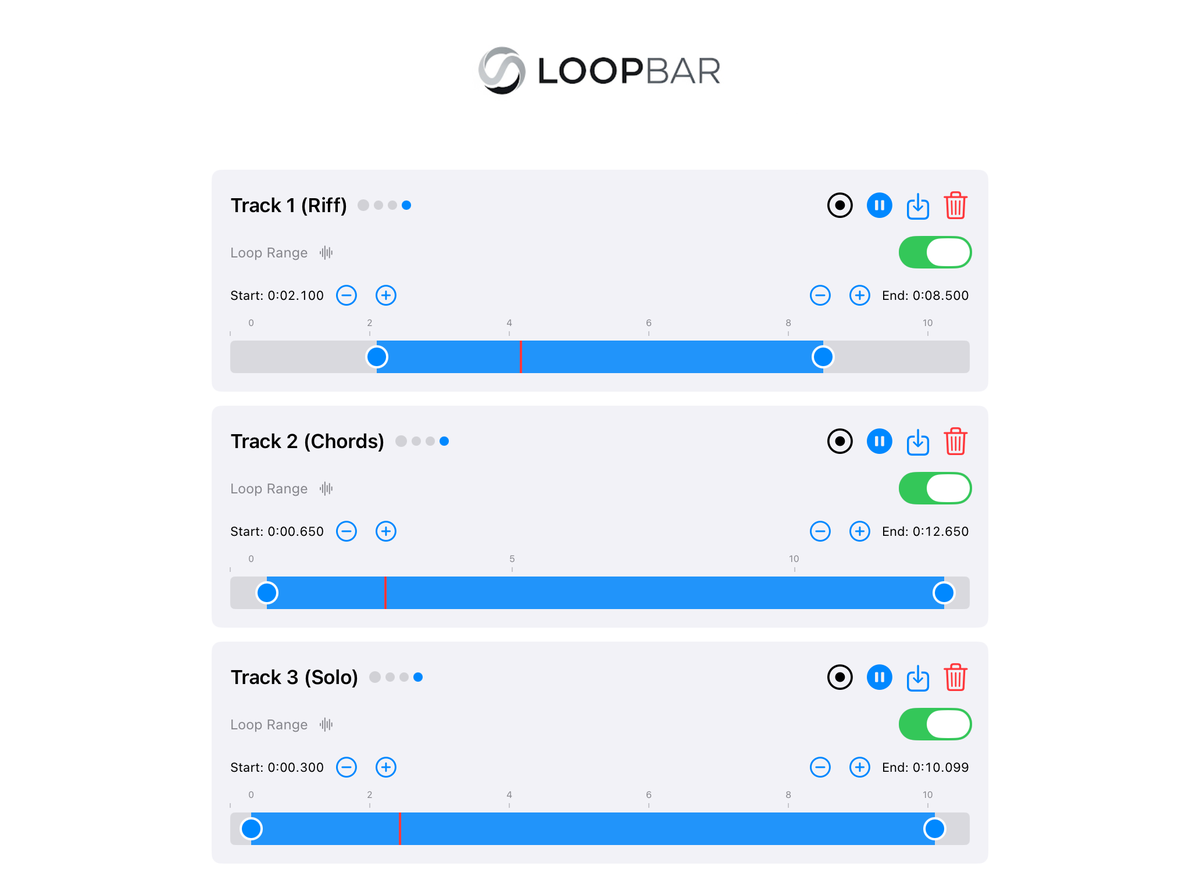
Switch on “Loop Range” for the track. LOOPBAR suggests bar-accurate loop points. Drag start and end on the waveform or fine-tune them in 10 ms steps with − / + – even while the loop keeps playing.
How many tracks can I stack?
There’s no fixed limit – how many tracks run smoothly depends on your device. Each track has its own loop; play, pause and stop them all at once.
How does the metronome work?
40–240 BPM, tap tempo, 4/4, 3/4 and 6/8, with a one-bar count-in before recording.
Can I save and share my loops?
Yes (new in 1.9). Save a loop to iCloud Drive or on your device and load it back later as a new track. Share it via AirDrop, Mail or the Files app.
Can I use my own audio files?
Yes (new in 1.9). Import WAV, MP3, M4A, AIFF and more as a track – voice memos, backing tracks, ideas.
Can I play through a speaker or amp?
Yes – via AirPlay, HomePod or Bluetooth speakers, including guitar amps with Bluetooth.
Can I use an audio interface?
LOOPBAR records from whatever input iOS/iPadOS currently uses. A connected USB interface usually takes over that role automatically. It hasn’t been officially tested yet – if you try it, I’d love to hear how it went.
Is there a subscription?
No. Pay once, all updates included. No account, no tracking, no data collected.